
If you’re working in Pay-Per-Call (PPCall) or Lead Generation (LeadGen), there’s one thing you already know: Your entire advantage comes from seeing what others can’t see.
And this is exactly where AdPlexity Social destroys every other spy tool out there.
Most spy tools in 2025 still can’t properly track call funnels, can’t read lead verification scripts, and can’t index ads that run behind heavy tracking setups. They miss half the data, show random, untargeted creatives, and you end up wasting hours filtering through nonsense.
But AdPlexity Social? Completely different story.
You’re getting access to over 33+ million ads, perfectly tracked, sorted, indexed, and broken down into all the tiny signals that serious media buyers use to find the real winning angles in PPCall and LeadGen. Every single ad is mapped into the right verticals, the right technologies, and the right funnel types—so you don’t scroll through noise, you go straight to the money.
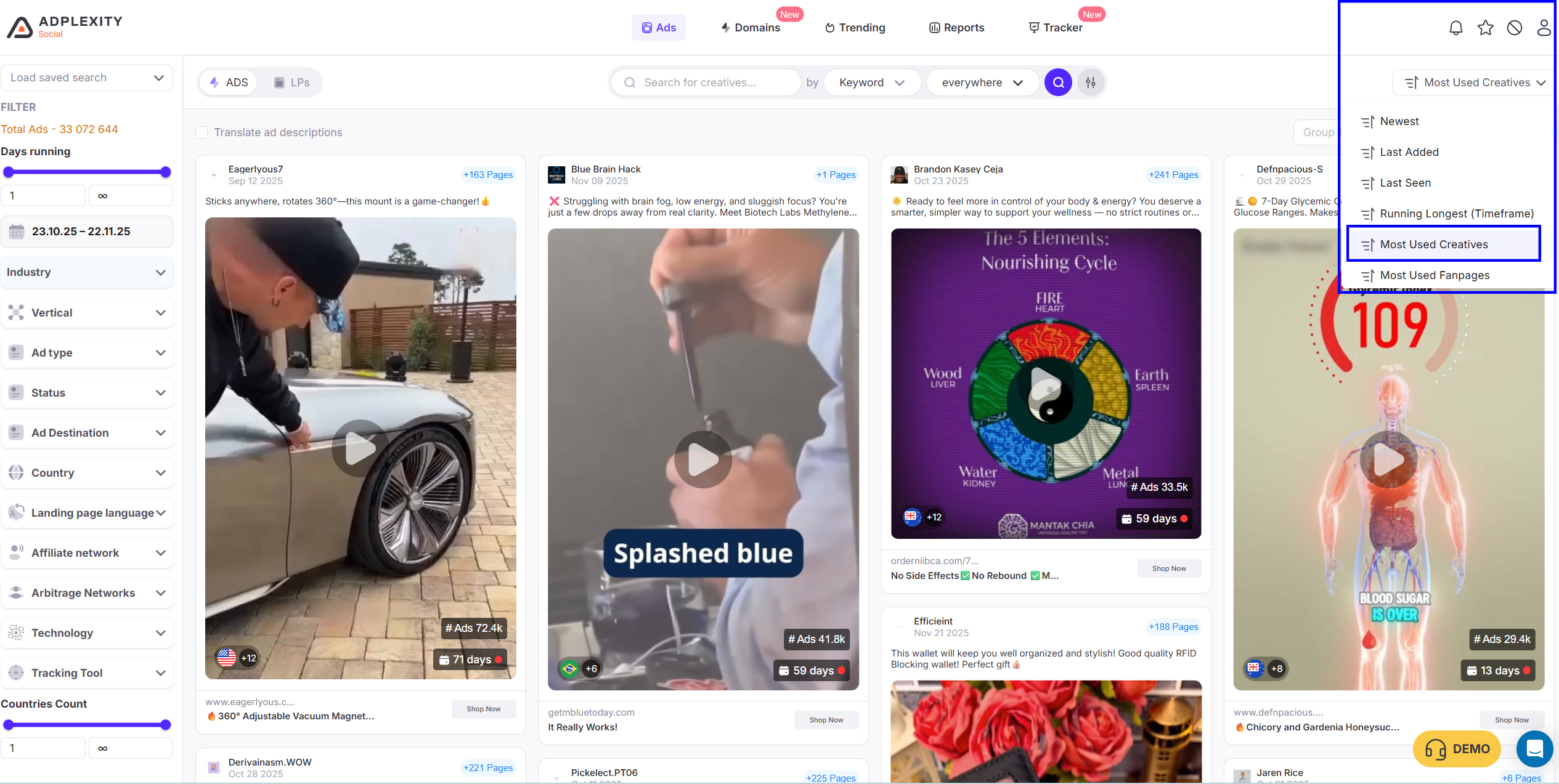
And now with the newest features of AdPlexity Social, you can sort ads by “Most Used Creative”, which basically puts all the top-performing ads on the table instantly. Once you click into a creative, AdPlexity gives you a deep breakdown:
-
How many advertisers used the same creative
-
Which fan pages are running it
-
all the landing pages connected to it
-
How long has it been running
-
How many variations exist
-
and which domains are powering the whole funnel
This means you’re not guessing. You’re not hoping. You’re literally walking into the exact funnels that are already working and making someone money right now.
This is why AdPlexity Social is a must for PPCall and LeadGen – it shows you the real ads, with real tech signals, running in the real world… not the fake stuff other tools show.
When you open AdPlexity Social, the first thing you want to hit is the Industry filter.
This is where the magic actually starts.
You will notice two major industries that we are talking about in this guide:
1. Pay-Per-Call
2. Lead Generation
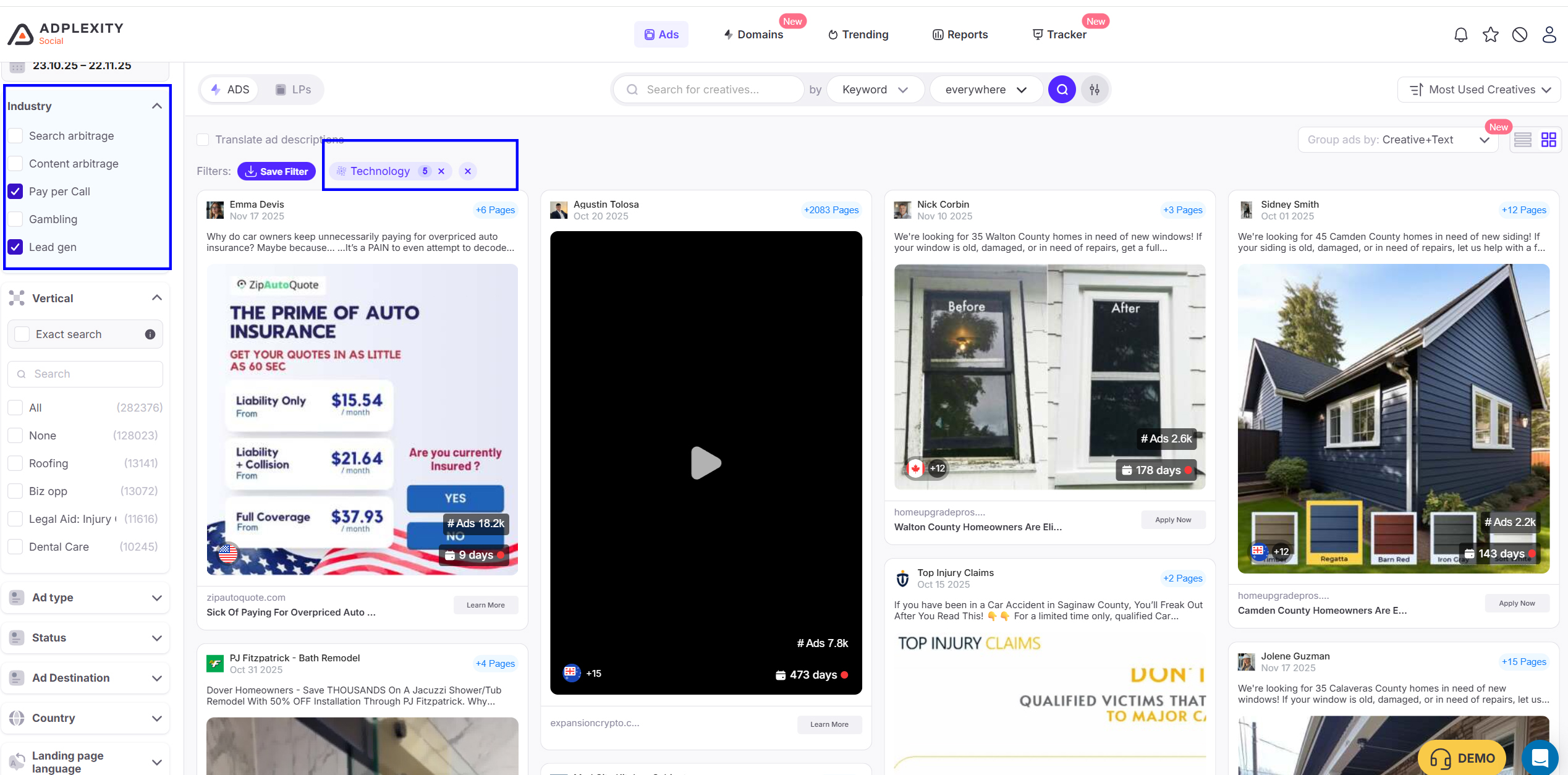
These two industries are not just “labels”; they activate AdPlexity’s most valuable built-in filters. Even if you have never run any of these campaigns, you now have a starting point
It automatically adds technology related to these filters and filters out all unrelated ads,
You can combine both filters or use each one individually. If you want more precise results, use each of them individually and then compare to the combined results.
Once you click, for example, “leadGen,” you can now check all other filters, arranged with numbers for the top Ads.
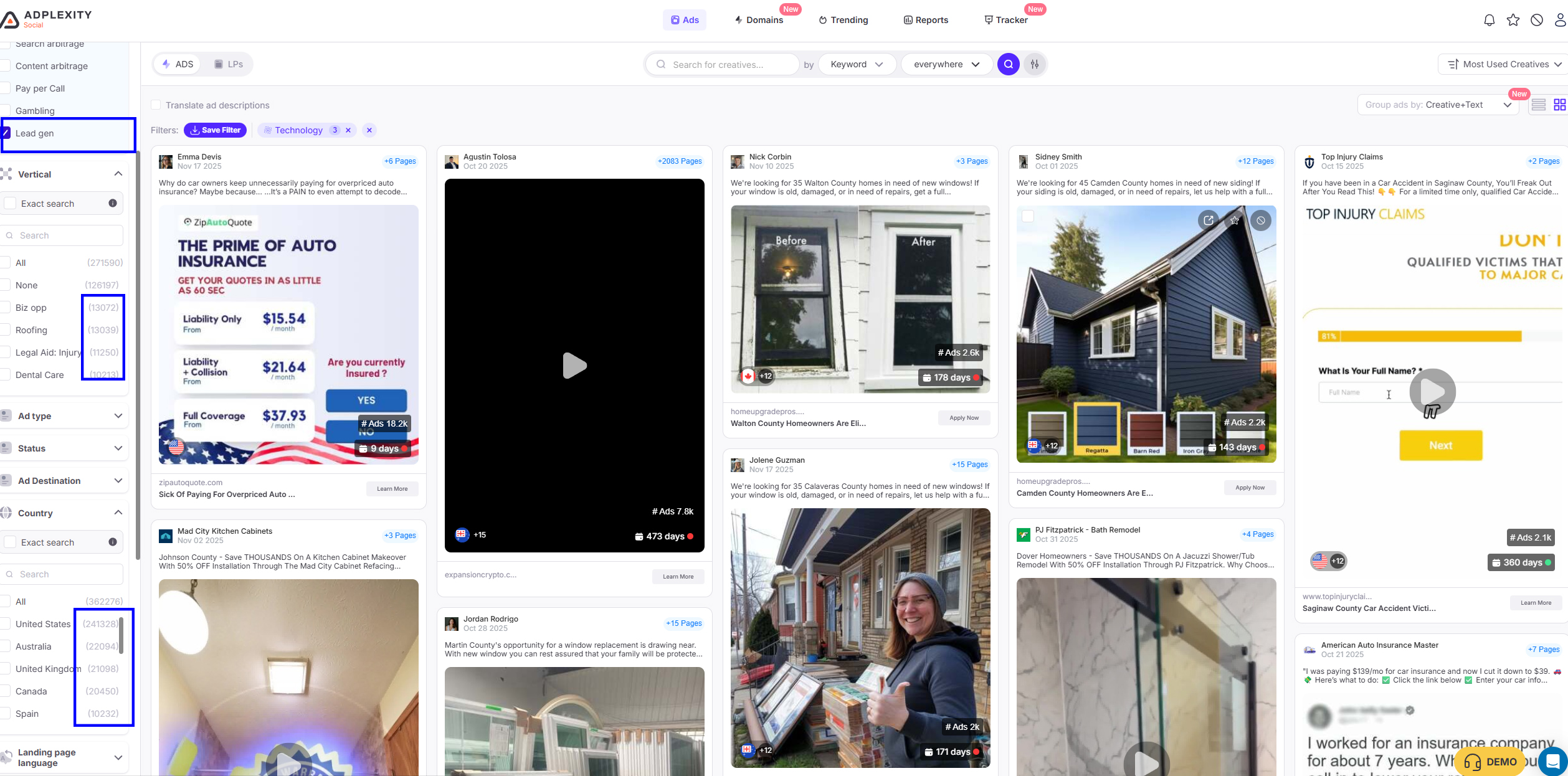
As seen in this screenshot, Adplexity social shows you the numbers of top ads in lead generation, top vertical, top Geo,
You can now filter it, according to each Vertical and according to Top Geos” Biz opp, Roofing, Legal Aid” and Top Geos, USA
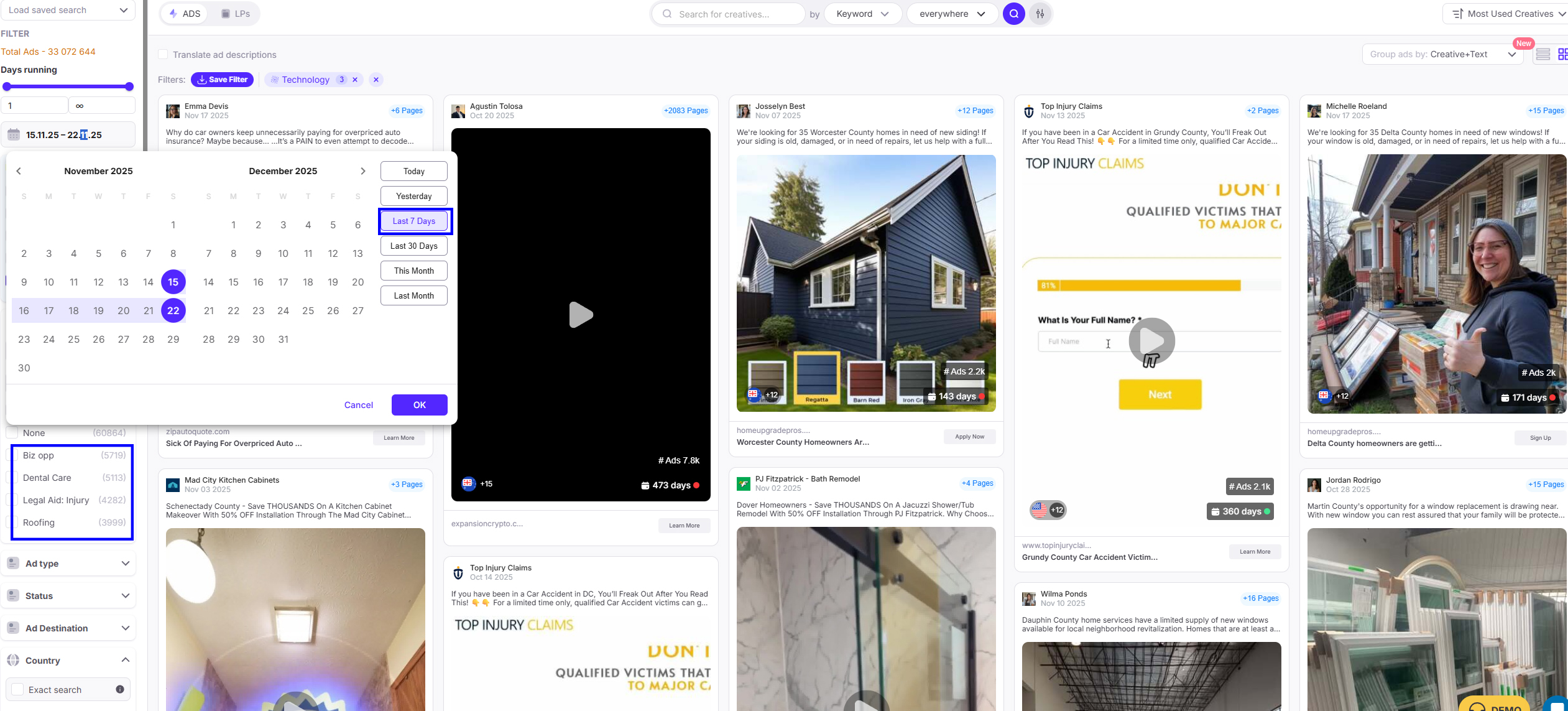
you can use the time frame filter to check trending Ads, Vs long runninng ads, for example if you have djusted the filter for the last 7 days, you will see that dental care vertical come at top with Bizzopp, then Roofing as 4th , and if you exteneded the time frame to the last 30 days you will find that roofing and bizopp at the top with over 13 k Ads
Once you set the main vertical filters, most affiliates stop. This is the mistake.
The real profits come from refining your search inside these verticals.
AdPlexity Social gives you access to over 33,000,000 ads, and the entire value is how fast you narrow them down to the winners.
Sort by “Most Used Creative” FIRST
If you want to find winners in PPCall or LeadGen, the first filter you apply after vertical selection is:
“Most Used Creatives”
Why?
Because:
-
If a creative is used the most, it means that multiple advertisers have chosen it.
-
If multiple advertisers chose it, that means it has proven performance.
-
Creatives that work tend to be copied, reused, and re-angled across verticals.
And in PPCall/LeadGen, creatives last MUCH longer than in ecom.
A call ad can run for 21 Days.
A lead ad can run for 40 Days.
You want to see the ads that everyone is betting on.
Filter by Most Used Creative → then scroll the top 30 creatives → you’ll instantly understand the current trend of the vertical.
You’ll see:
-
The angles everyone is pushing.
-
The “lead magnets” that convert.
-
The types of security badges that work.
-
The exact text that triggers the user to either call or submit a lead.
This is where 80% of the gold is.
Go to the Ad Details Page
This is where AdPlexity Social truly stands out. Once you find creatives that interest you → click Ad Details.
Inside this page, you get every element you need to rebuild the funnel:
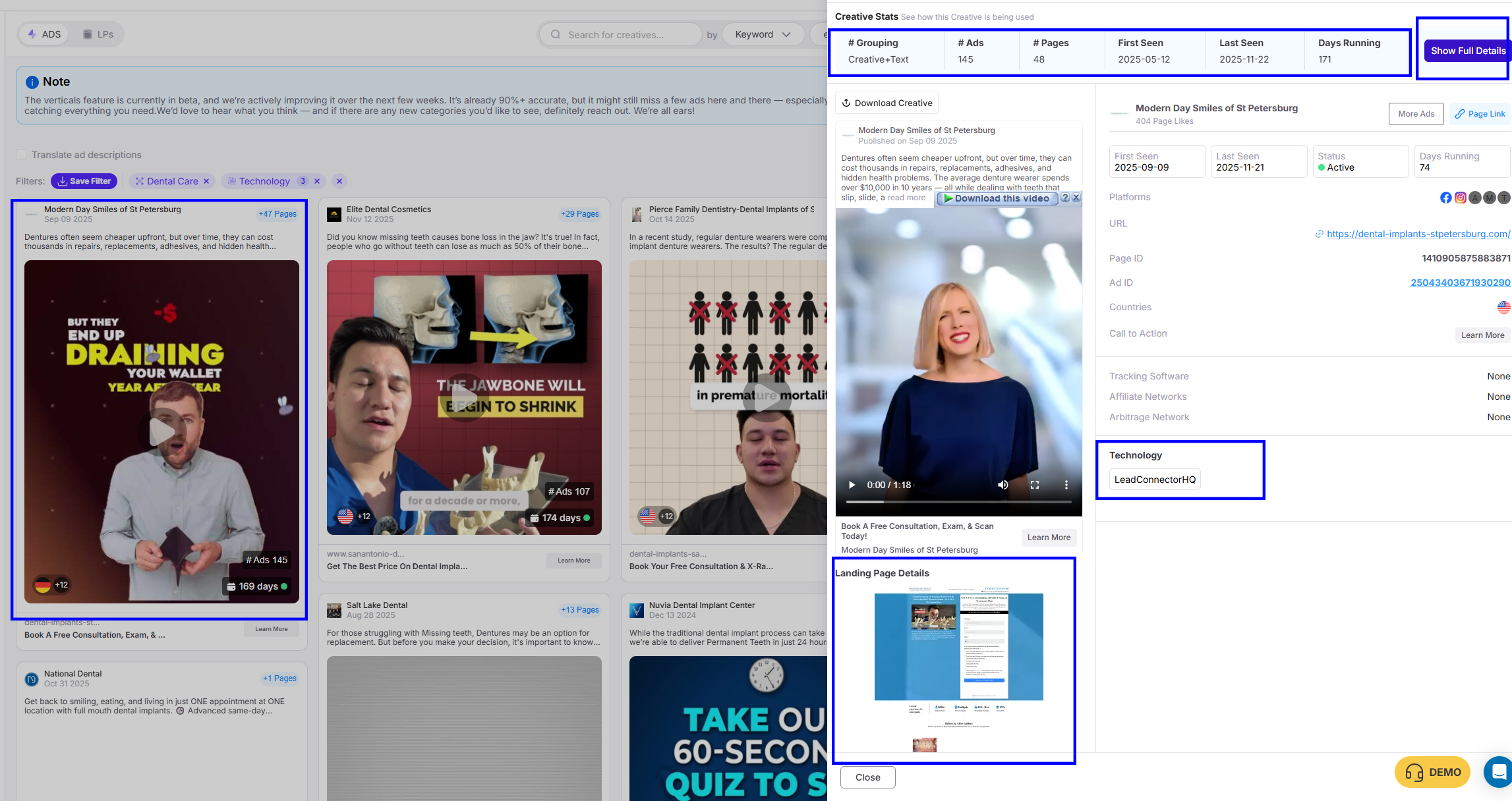
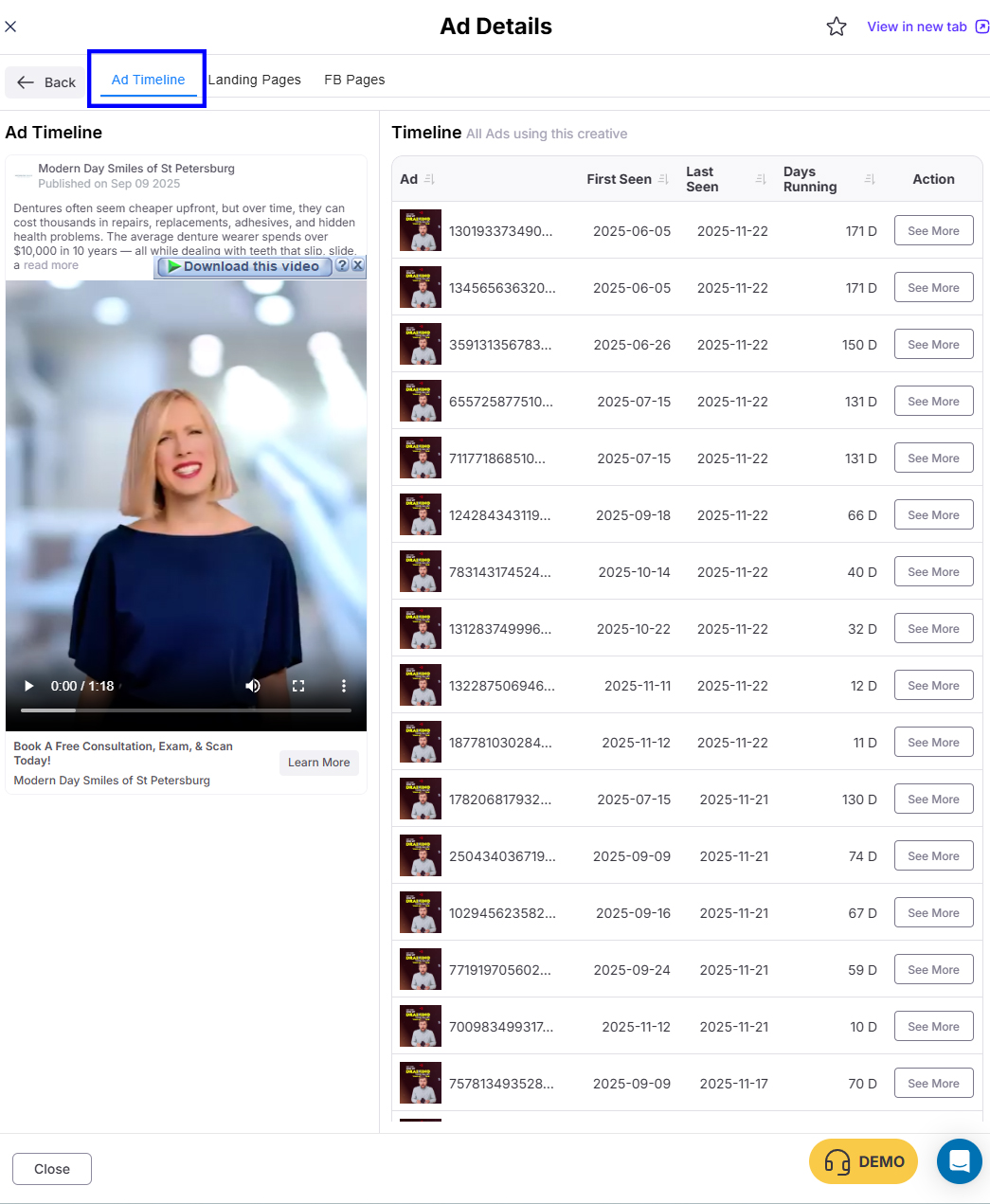
Top Creatives Used “adsets”
This shows:
-
Which variations are working
-
Which images/videos got the most active running days
- Whether the advertiser is aggressive (10+ creatives) or slow (1–2 creatives),
Pro tip: If an advertiser is testing 8 creatives and 1 survived 60+ days → that is your winning angle
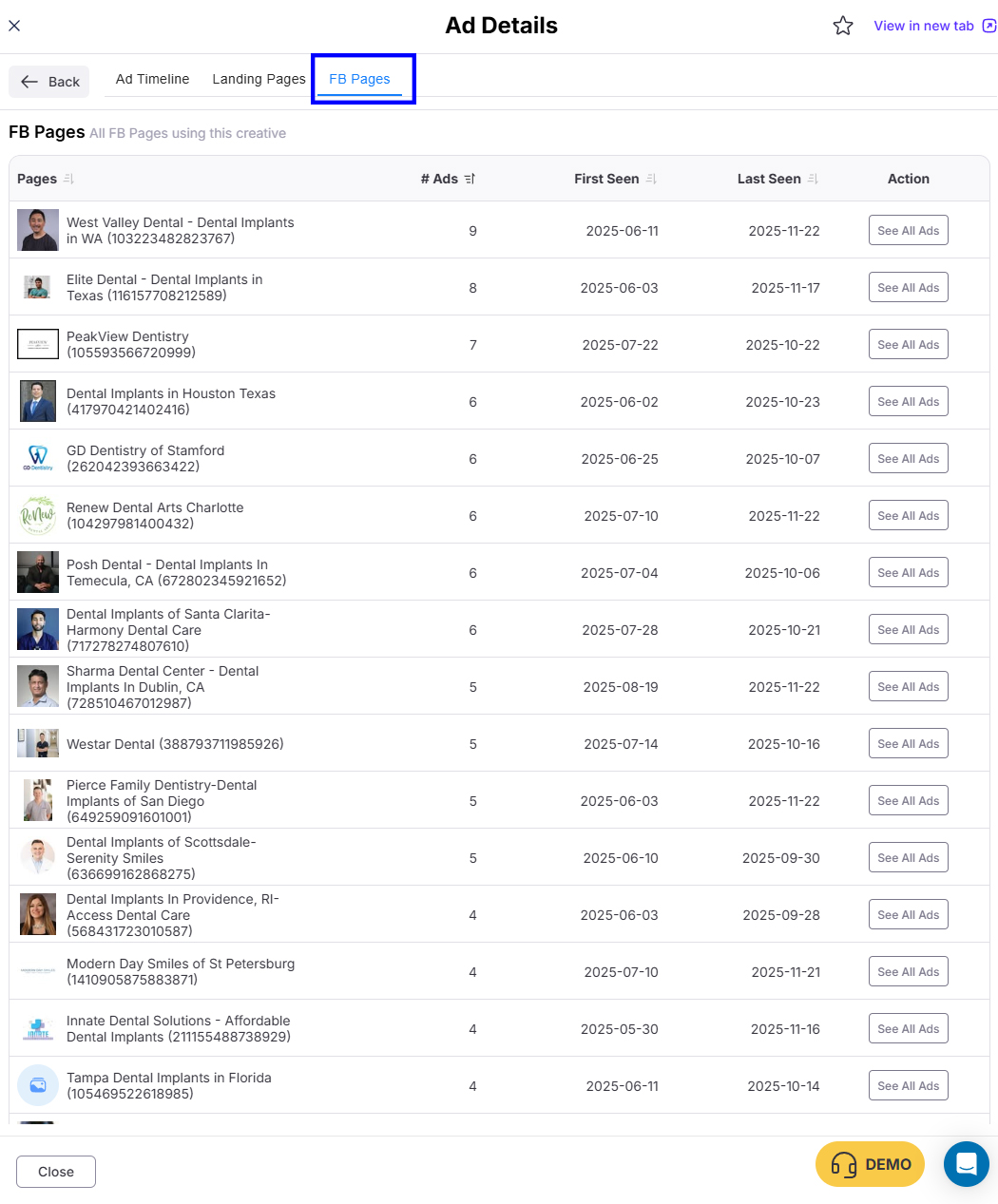
Top Fan Pages Running the Same Ads
This is extremely powerful.
For Pay-Per-Call:
You will often see agencies running 10–20 fan pages for the same call offer.
For LeadGen:
You’ll see multiple front-end brands pushing the same lender, insurer, or buyer.
This tells you:
-
Who is scaling
-
Who is the original advertiser
-
Who is copying the angle
-
Which pages have the most trust signals (old pages convert better)
Fan pages reveal the entire competitive landscape.
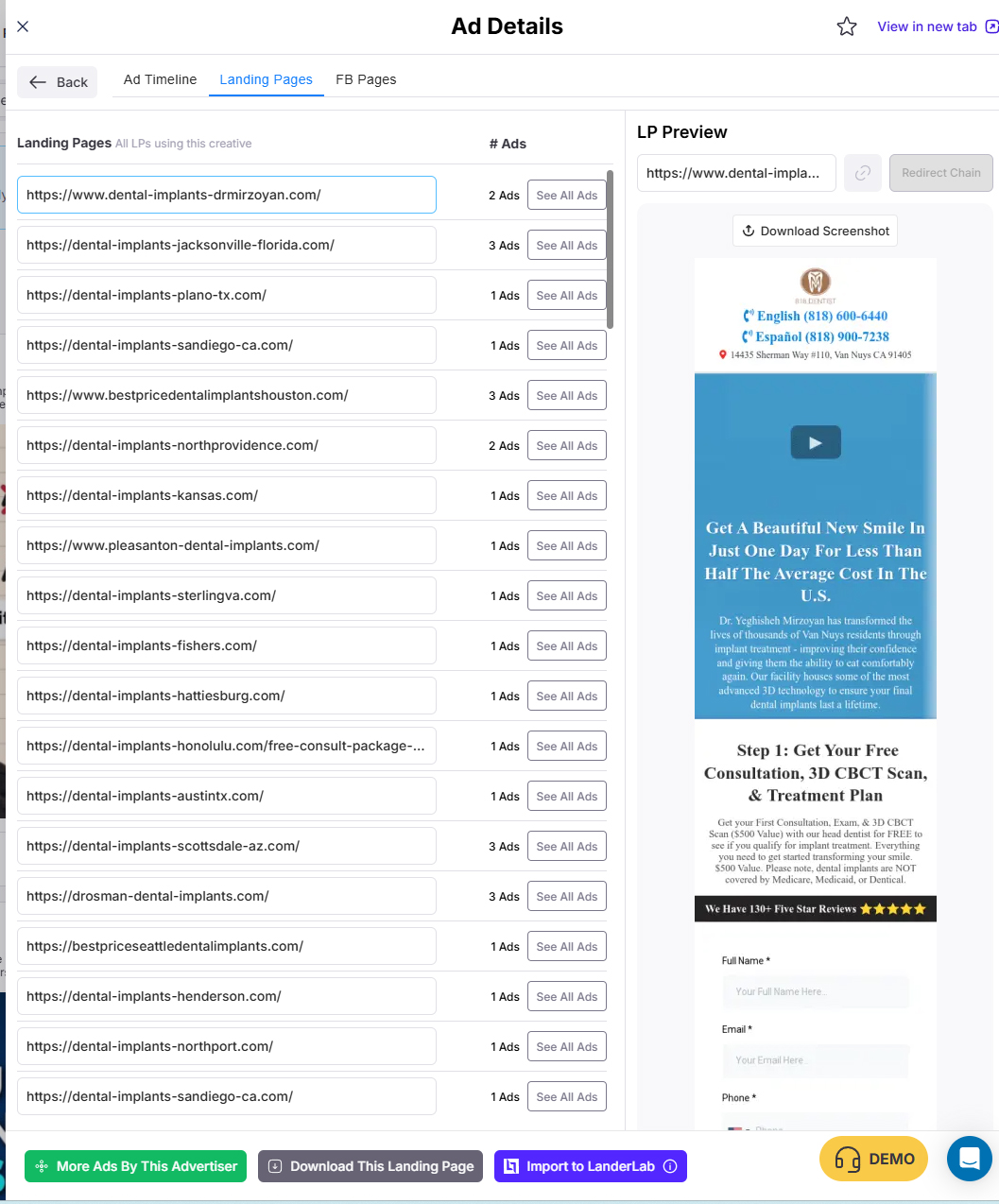
Landing Pages Used (Including Variants)
Now here’s where you reverse-engineer the funnel:
-
Lead forms
-
Call buttons
-
TrustedForm/Jornaya integrations
-
Dynamic phone replacers
-
Advertorials
-
Quiz pages
-
Qualification flows
-
Conversion scripts
-
Geo detection
-
Popup timers
-
Fake call notifications
-
Location-based “special offer” text
Landing pages tell the full story about why this ad is working. Sometimes the ad is simple, but the LP is where the magic happens.
You can now explore all landing pages in one place and download it
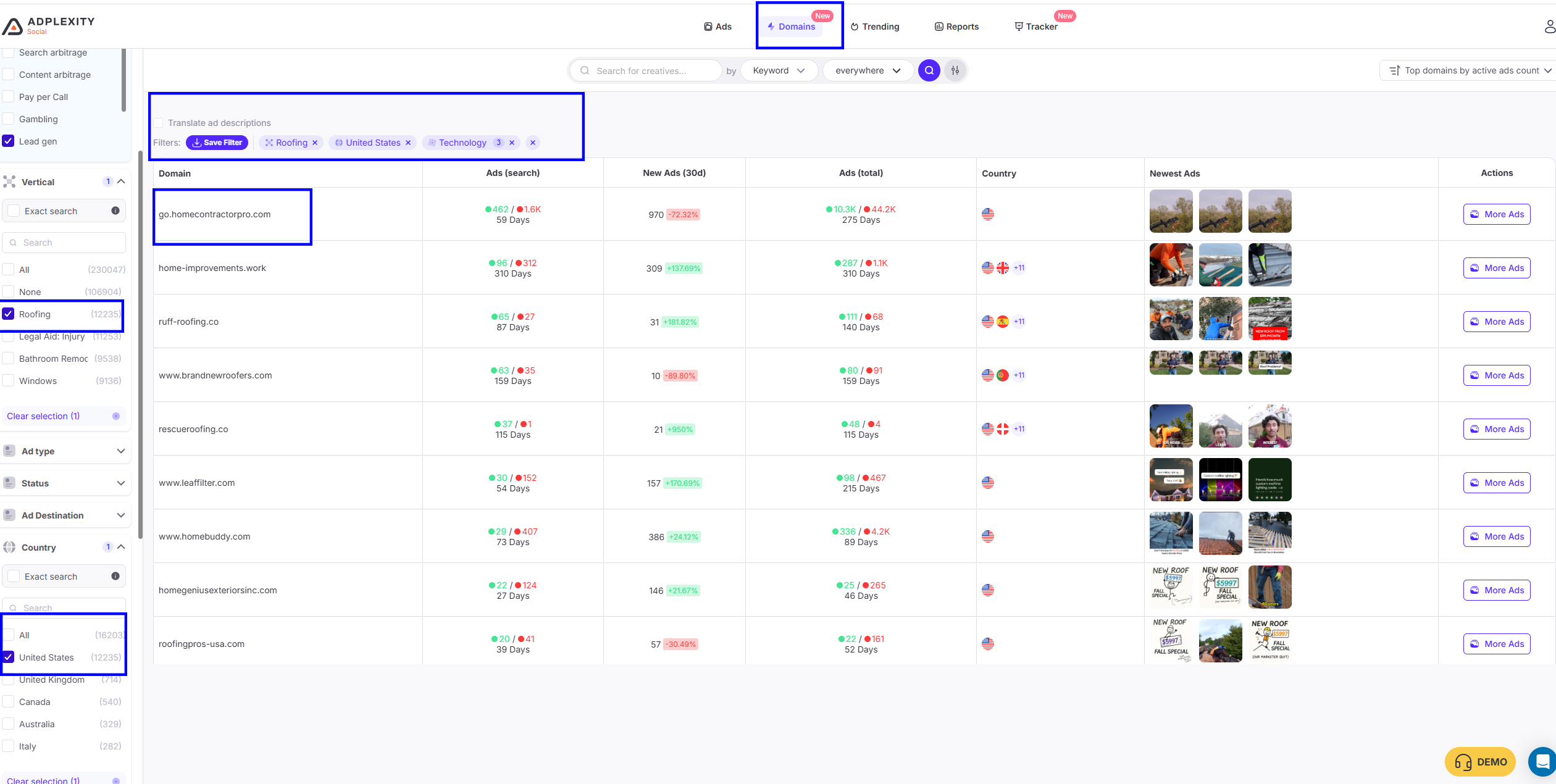
Newly Added Domains Tab.
This is one of the most underrated filters.
Why domains matter:
-
You can see which domains are repeatedly used across fan pages
-
These domains often belong to lead buyers or call buyers
-
They reveal the “network behind the network.”
-
Some domains are used across 7–10 different brands
-
You can detect offer owners by reverse-checking domain footprints
When you see the same domain appearing across multiple creatives and multiple fan pages → you know it’s a real money offer.
Not some random $10 payout CPA thing. A real buyer with a real budget.
Now Refine Your Filters (This Is Where You Find the REAL Winners)
Once you understand the vertical → now apply the heavy filters.
Here is the exact refinement workflow I personally use:
A. Filter by Country
Different verticals behave completely differently in different GEOs:
-
Insurance → mostly US/CA
-
Home Services → US, UK, AU
-
Solar → USA only
-
Financial Leads → EU/UK
-
Medical PPCall → USA mostly
-
Legal PPCall → USA only
-
Tech Support PPCall → worldwide
-
Auto Insurance LeadGen → USA only
-
Medicare → US Q4 heavy
So the first thing: choose your GEO.
B. Filter by Running Days
This separates the hit-and-run ads from the evergreen winners.
I recommend:
-
30+ days running → stable winner
-
90+ days running → evergreen
-
180+ days → full seasonality, real operation
-
365+ days → you just found a goldmine
Any ad running that long means someone is printing money from it.
C. Check the most Running Domains.
Check the most used Creatives, then identify their Domains, then run the Same Search with this Domain,
 and Repeat.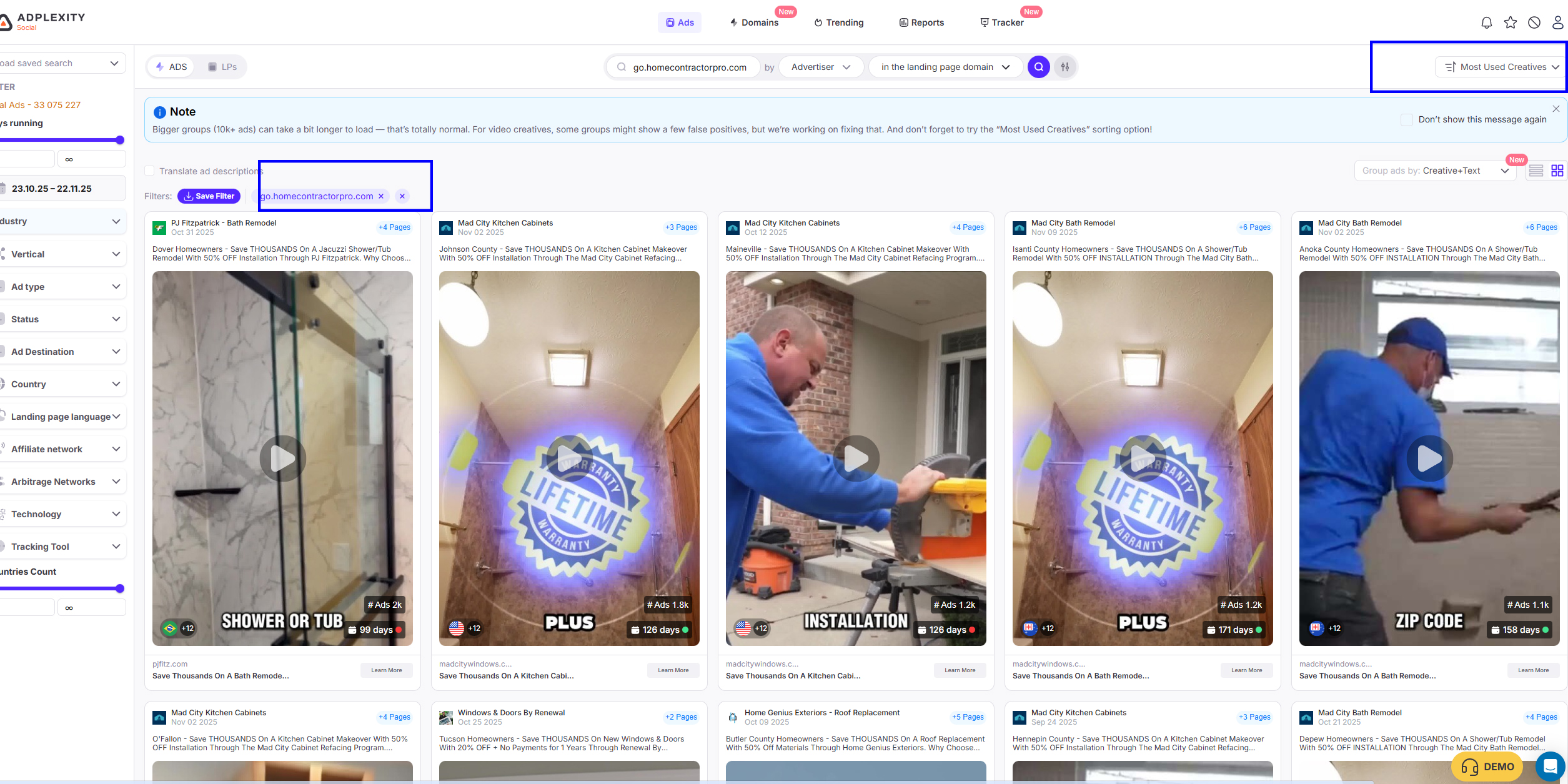
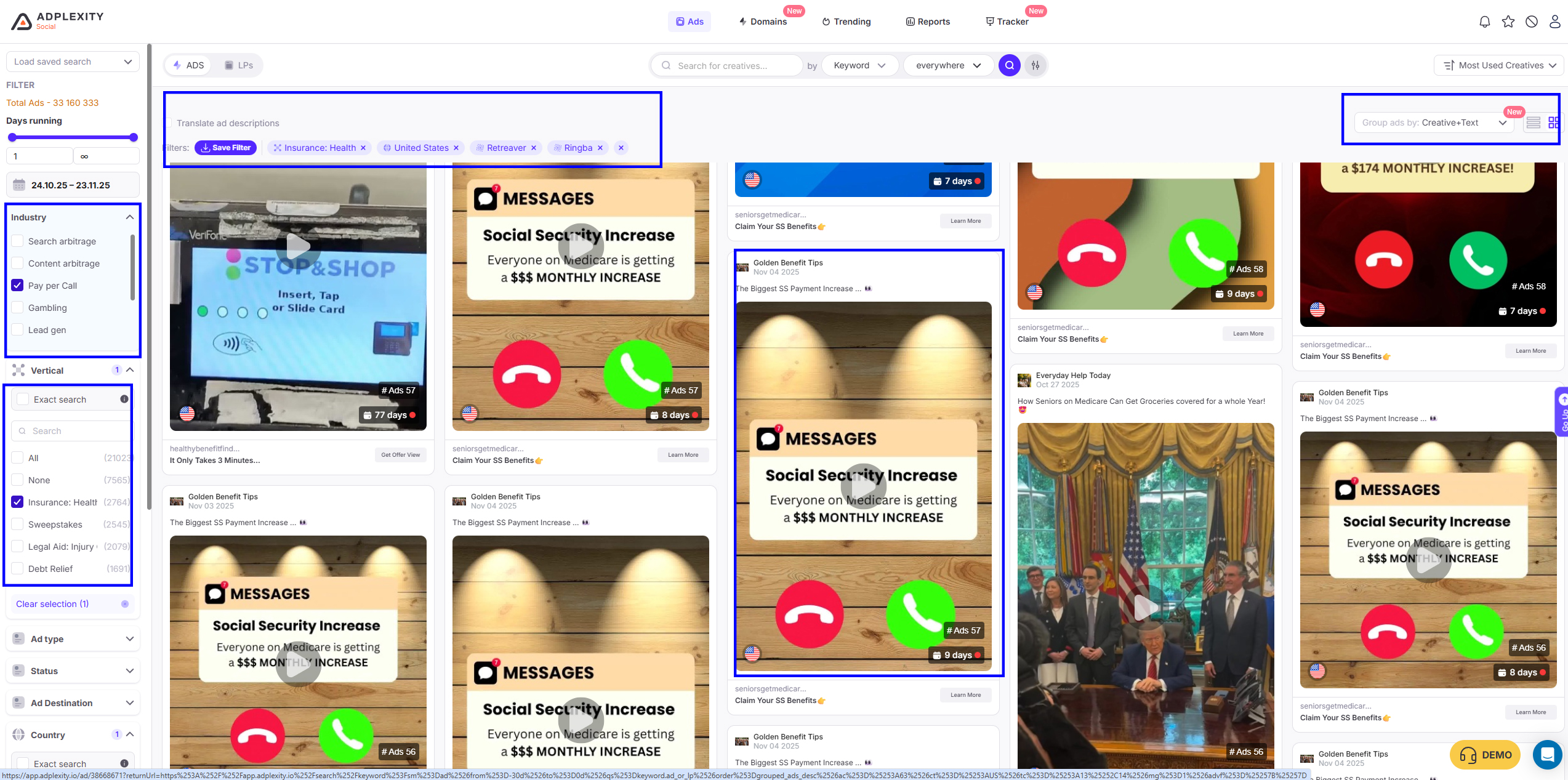
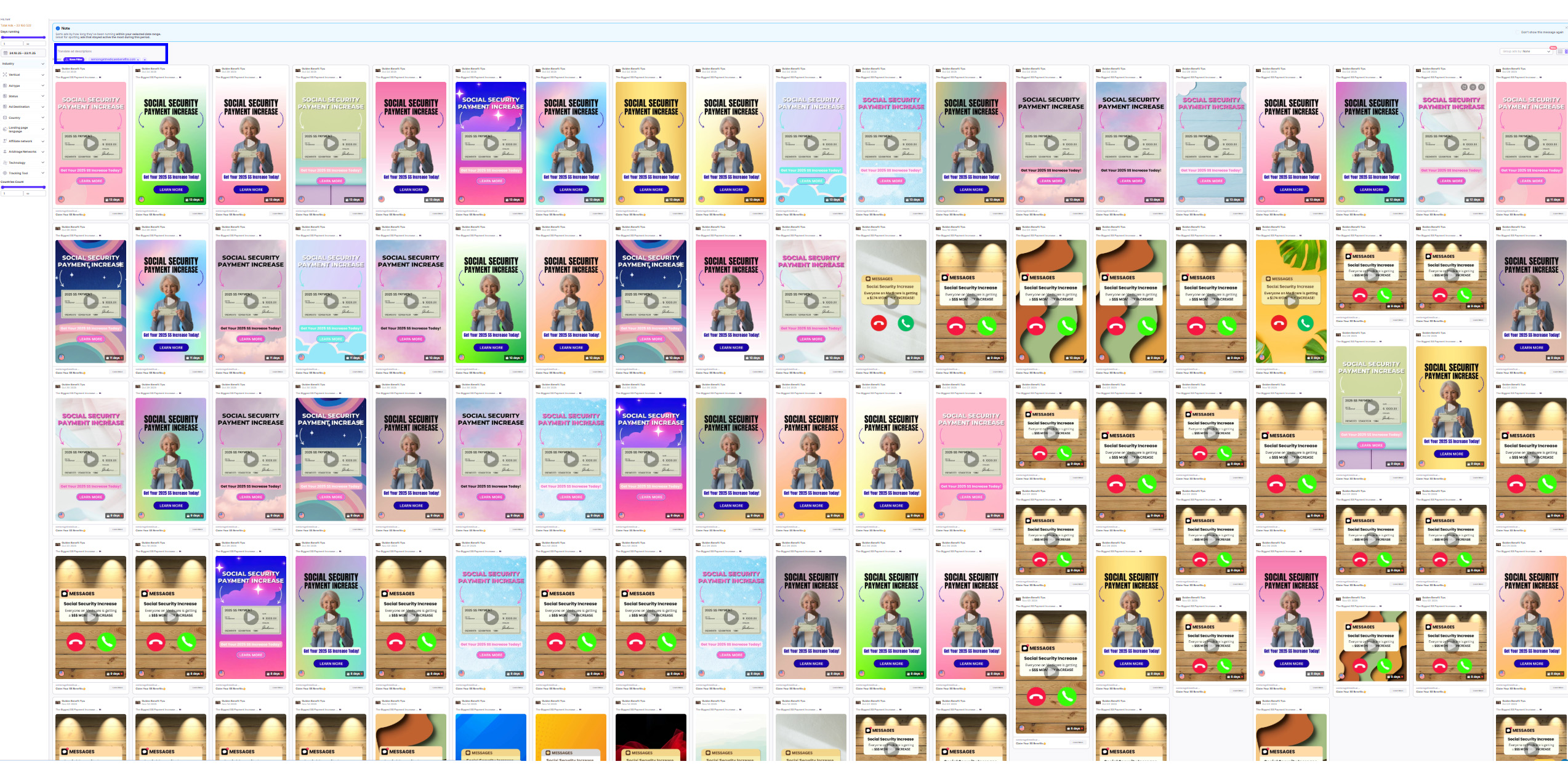
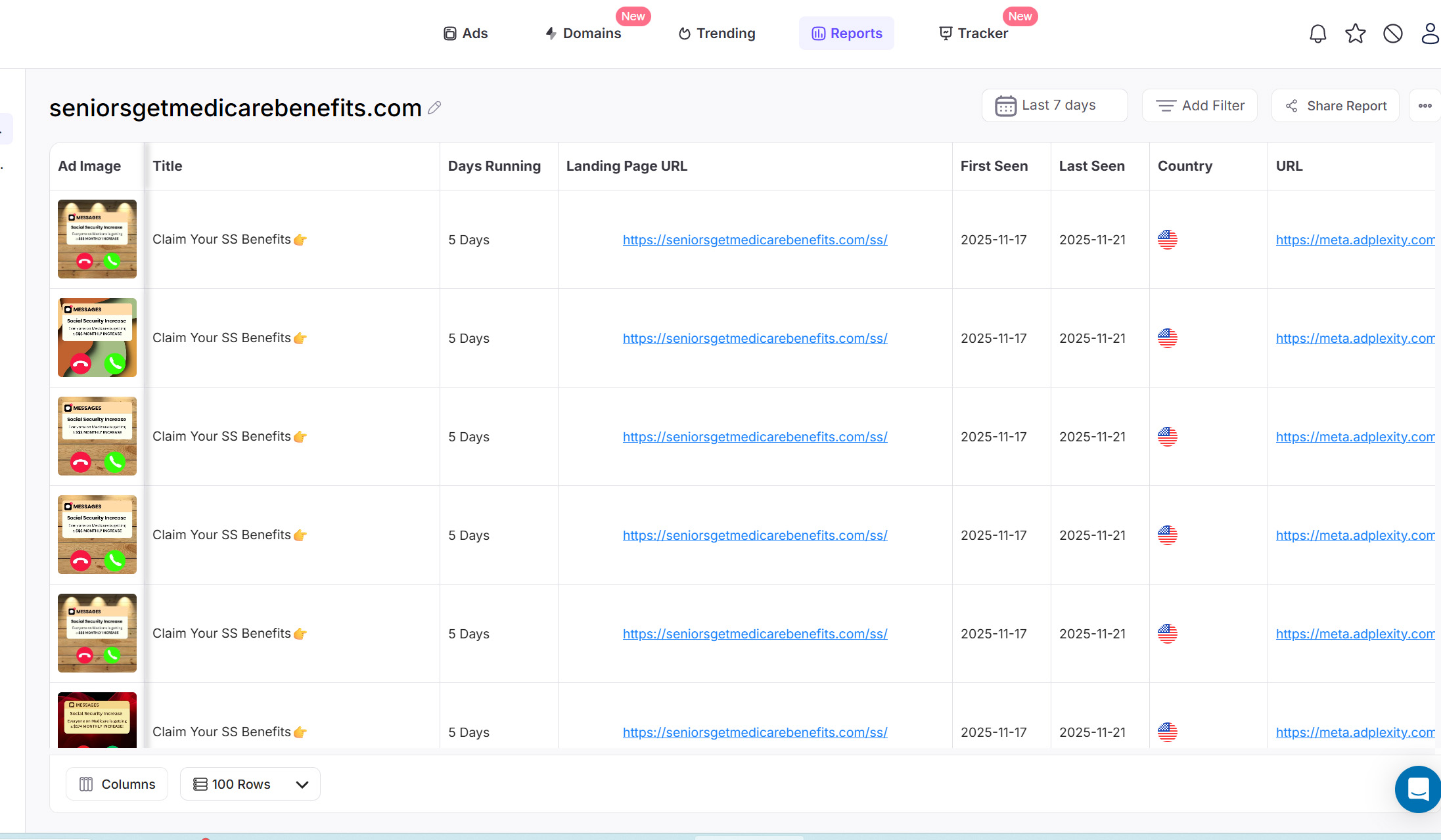
After Exploring Ads. Get the most used domain from the Ad details page and search with it in this example, “seniorsgetmedicarebenefits.com”
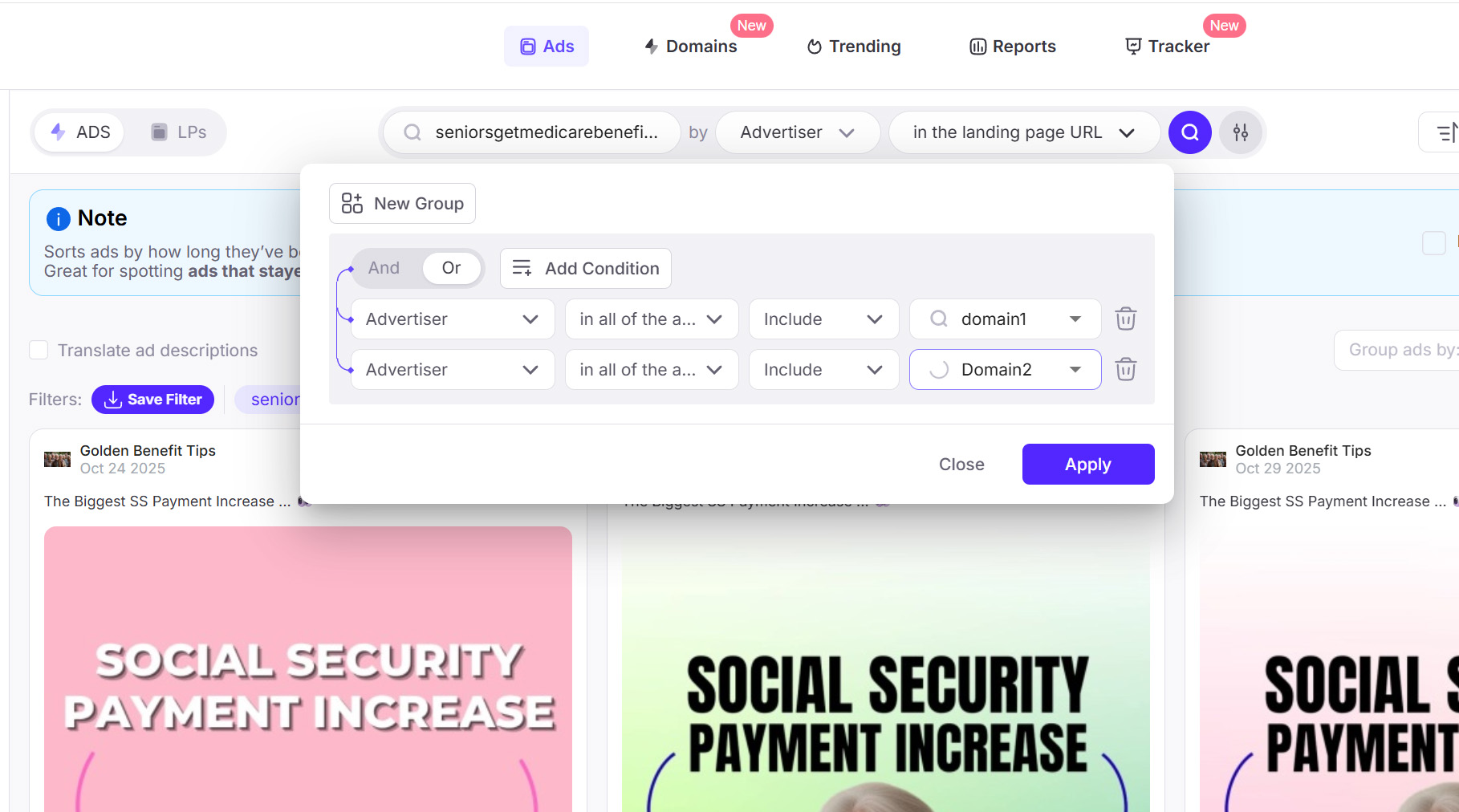
You Can Add as many domains as you need in an advanced Search
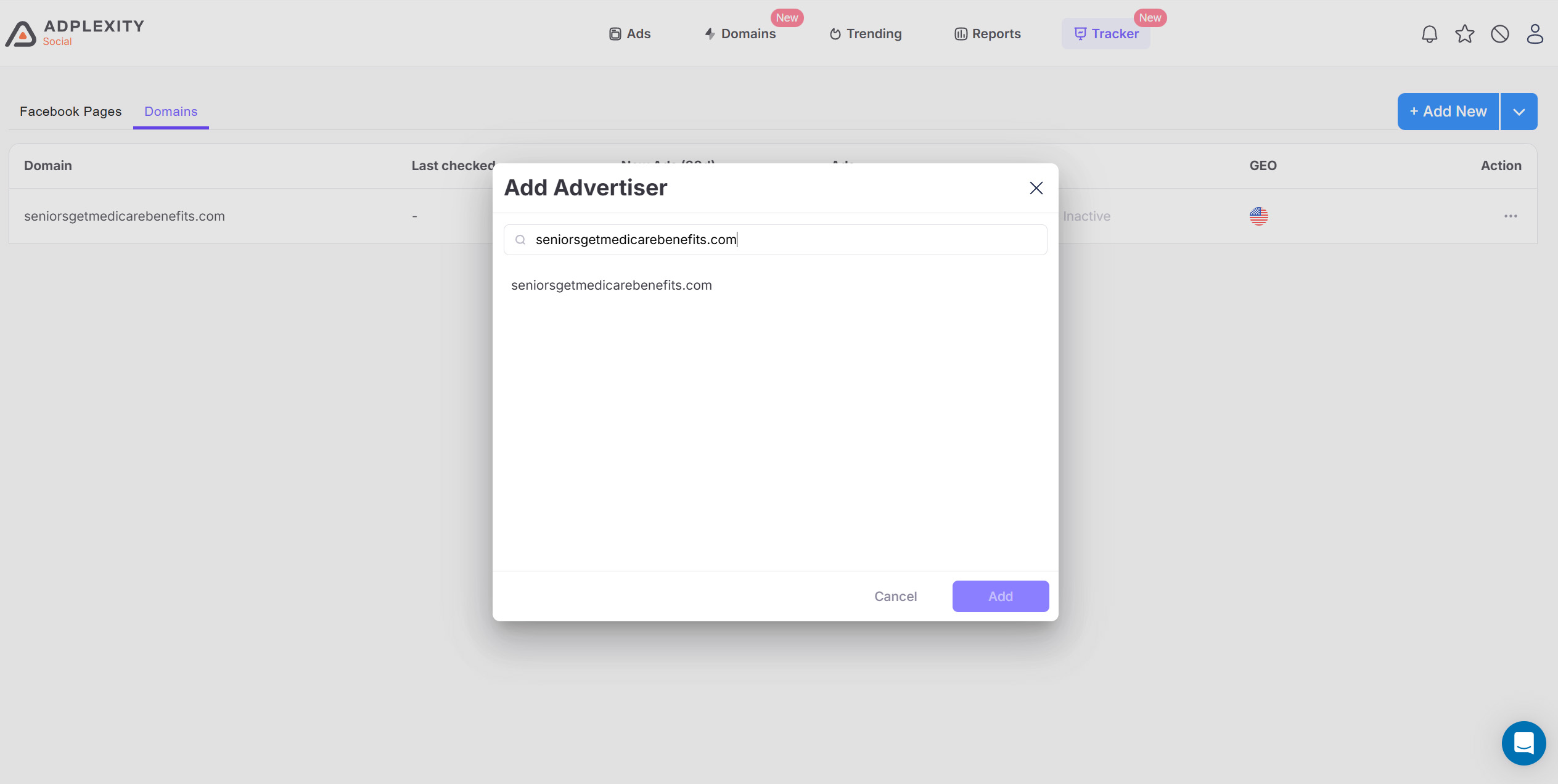
E. Use Tracker to track specific Domains/Facebook Page
You can track this domain specifically with the new Tracker Option
Finally, you can create a Custom Report for this purpose, and it can be sent to your email daily.
Why AdPlexity Social Is So Valuable for These Two Industries
Now let’s talk about why AdPlexity Social is the best tool for PPCall + LeadGen.
There are a few reasons:
1. The 33+ Million Ads Database Is a Beast
AdPlexity Social shows you over thirty million.
That means:
-
You see old ads + new ads – deleted Ads.”
Deleted Ads, ads that can no longer be reviewed on the Facebook Ad Library -
You see long-running evergreen campaigns.
-
You see seasonal ads
-
You see the actual trends spanning years
More data = more accuracy.
The Automatic Technology Filters Are a Game-Changer
No other tool automatically identifies:
-
Ringba
-
Retreaver
-
TrustedForm
-
Jornaya (LeadID)
-
LeadConnection
These filters remove 90% of the noise.
It instantly shows you:
-
Who is running real calls
-
Who is submitting verified leads
-
Which campaigns are set up for real-world buyers
You essentially gain access to the backend of the campaign.
You Can See Every Single Funnel Angle
AdPlexity Social exposes everything:
-
Creatives
-
Text
-
Landing pages
-
Domains
-
UTM structures
-
Tracking scripts
-
Tech providers
-
Fan pages
-
Running dates
This allows you to reconstruct the full funnel.
You See Patterns That Even Agencies Miss
When you scan 500+ ads with the same technology filter, you start to notice:
-
Headlines that repeat
-
Images used across multiple fan pages
-
Colors that convert
-
Layouts of landing pages
-
Types of disclaimers
-
Form structures
-
Call buttons above vs below the fold
-
Pre-lander vs direct LP structures
This is how you get ahead.
Final Thoughts: AdPlexity Social Is Not a Spy Tool — It’s a Weapon
If you work in:
-
Pay-Per-Call
-
Lead Generation
-
Solar
-
Insurance
-
Medicare
-
Home Services
-
Legal
-
Financial leads
Then AdPlexity Social is not optional. It’s required.
There is no other tool that gives you:
-
33+ million ads
-
Automatic PPCall & LeadGen tech filters
-
Deep funnel visibility
-
Fan page analysis
-
Domain analysis
-
Evergreen ad tracking
When you combine all these filters correctly, you will consistently find:
-
Winning angles
-
Evergreen call funnels
-
Proven landing pages
-
Money domains
-
Real buyers
-
And scalable campaigns you can run safely
This is how the top guys make money. Not guessing. Not testing blindly. Just identifying what works — and doing it better.