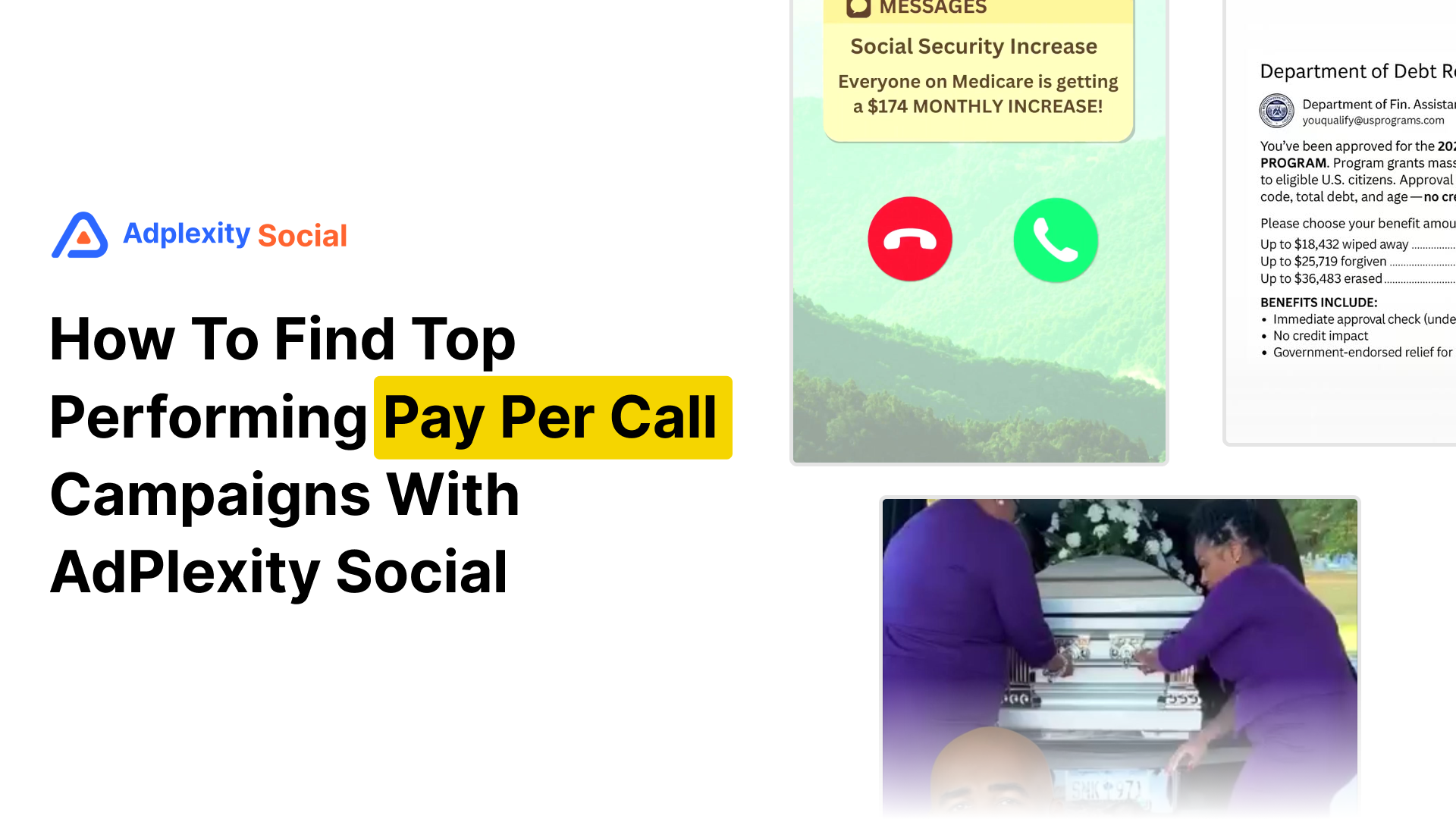

If you run Pay Per Call or you’re thinking about getting into it, one of the hardest parts is visibility. There are big campaigns out there in Medicare, debt relief, insurance, and final expense, but actually seeing the ads, the funnels, and the domains behind them is a lot more challenging.
In this guide, I’ll show you how to use AdPlexity Social to:
- Find Pay Per Call flows,
- Avoid getting lost in Lead Gen-only campaigns
- Identify which verticals and domains are really leading in the space.
Start With the Pay Per Call Industry Filter
Inside AdPlexity Social, the fastest way to begin is by selecting the Pay Per Call industry filter.
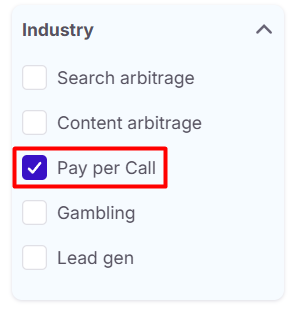
From there, you’ll immediately see:
- Insurance related flows
- Medicare benefit campaigns
- Debt relief ad
- Car insurance, final expense, and more.
The first thing you’ll notice is that not all campaigns are equal:
- Some use Lead Gen forms plus a call button (hybrid).
- Others are structured purely around a phone call (Pay Per Call).
That distinction matters.
Hybrid vs. Pay Per Call
A classic hybrid campaign:
- Uses Lead Gen technologies like TrustedForm or Jornaya,
- Includes a form to capture user data, and
- Offers a “Call Now” button somewhere in the flow.
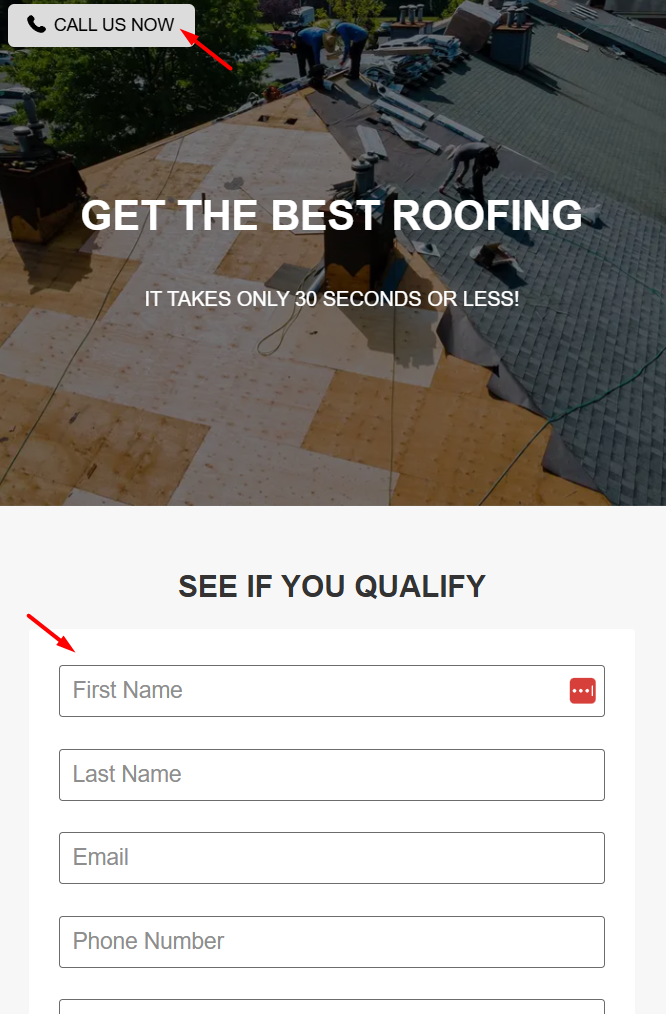
These are great campaigns, but if you’re strictly interested in Pay Per Call, you don’t want your research polluted with Lead Gen heavy funnels.
Pure Pay Per Call campaigns usually:
- Rely on call tracking platforms like Ringba,
- Ask qualifying questions via a simple page or chatbot style interface, and
- Push the user to make a phone call as the primary action.
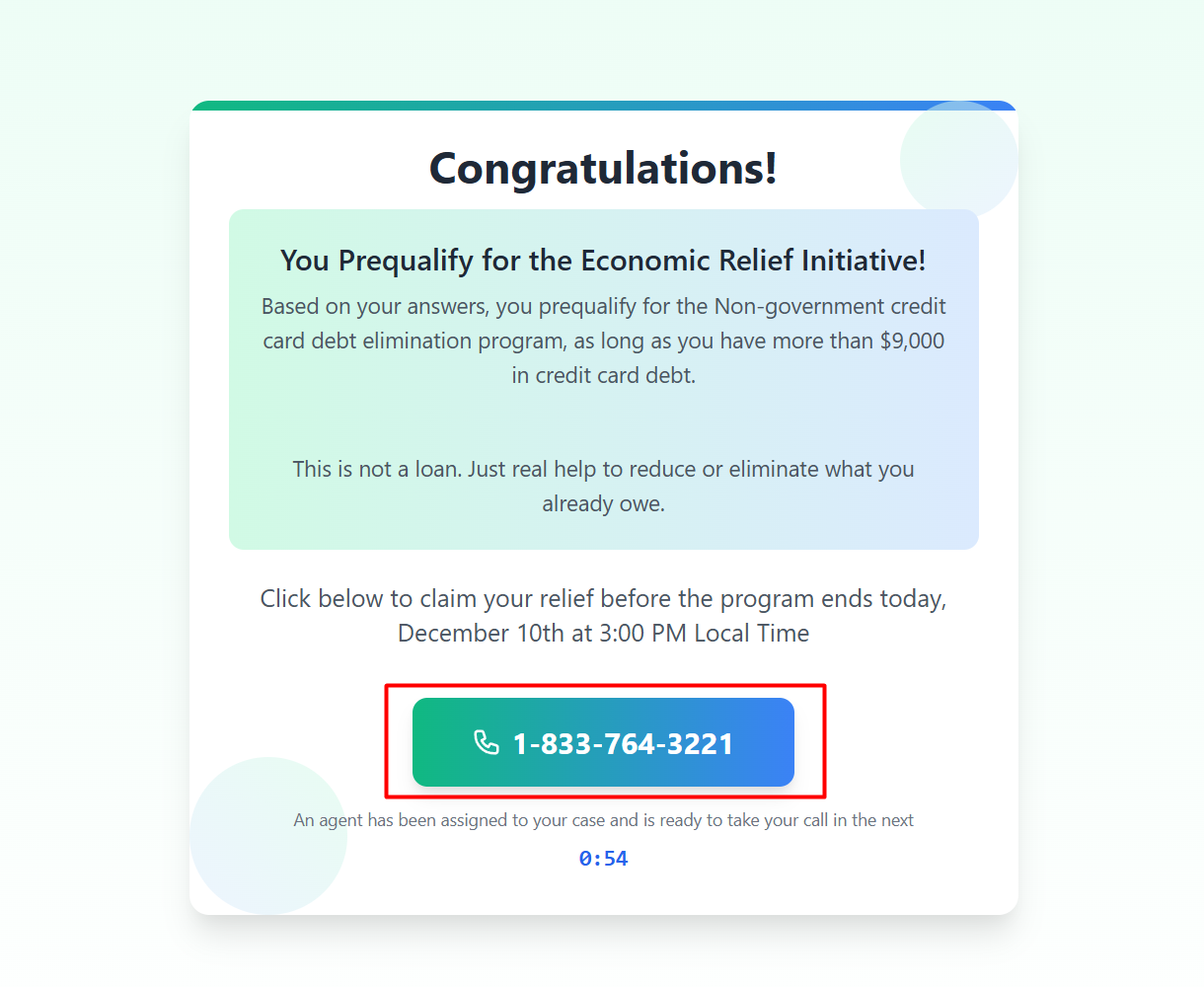
There’s no big form; the main KPI is generating calls.
Use Technology Filters To Get Closer To Pay Per Call
One powerful way to get closer to exclusive Pay Per Call flows is to:
- Include call tracking technologies, and
- Exclude classic Lead Gen technologies.
With AdPlexity Social’s advanced filters, you can:
- Filter for ads using Ringba (and similar tools), and
- Exclude technologies typically used for Lead Gen validation (Trustedform, Jornaya, LeadconnectorHQ)
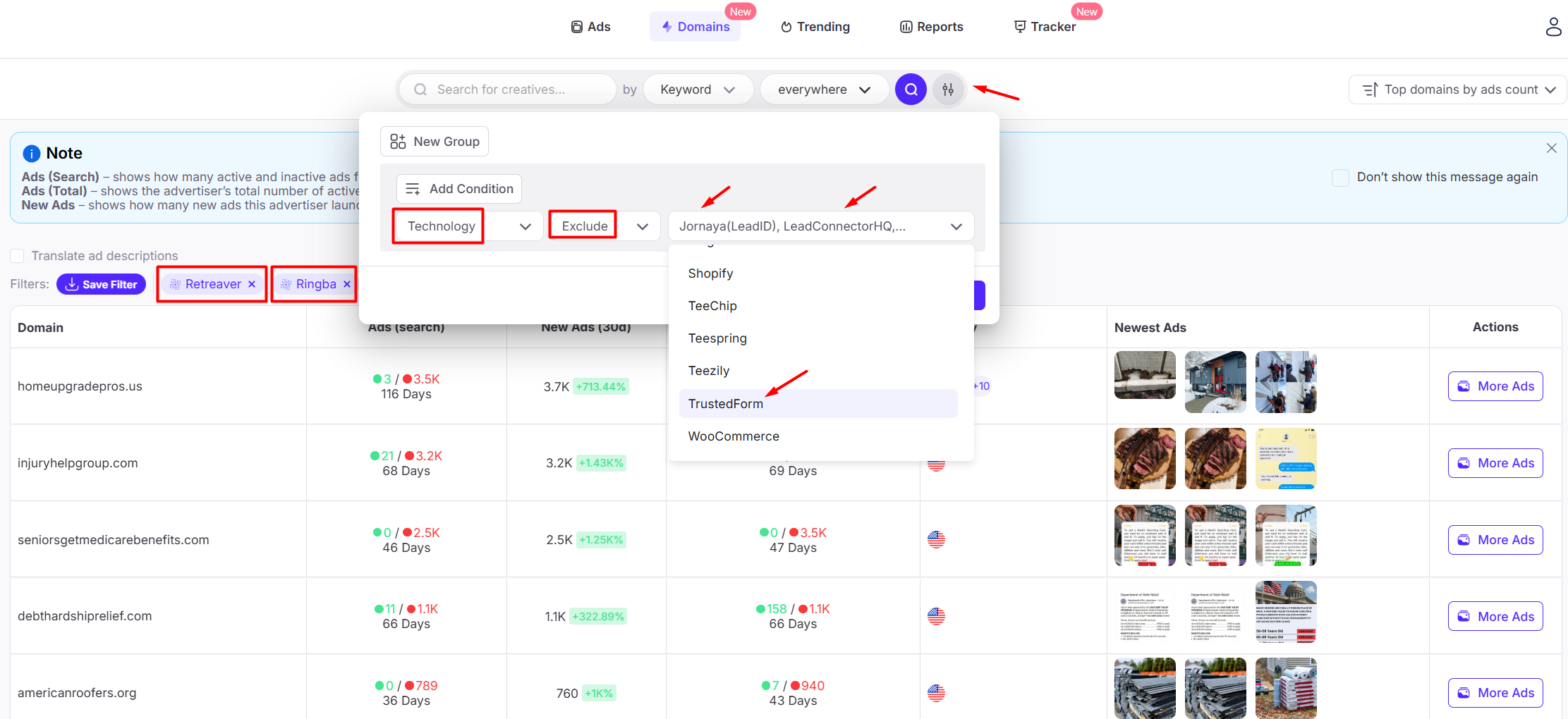
Is it perfect? No. But it pushes you much closer to clean Pay Per Call funnels, where the main action is a phone call.
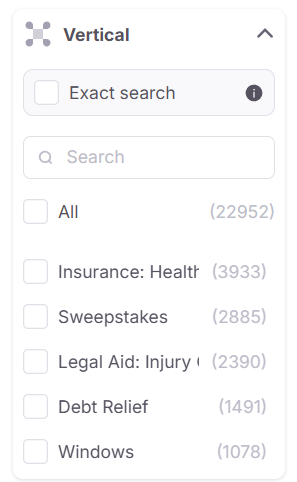
Vertical Overview: What’s Hot Right Now
When you apply the filters and look at vertical distribution, some categories consistently stand out:
- Medicare benefits / senior health
- Debt relief
- Car insurance
- Final expense
Medicare benefits is a big one. You’ll often see creatives framed as:
- Social security increases,
- Benefit eligibility checks, or
- “See if you qualify” flows.

Many of these lead into a chatbot style funnel that:
- Asks a few qualifying questions,
- Builds urgency/trust, and
- Ends with a phone number to call.
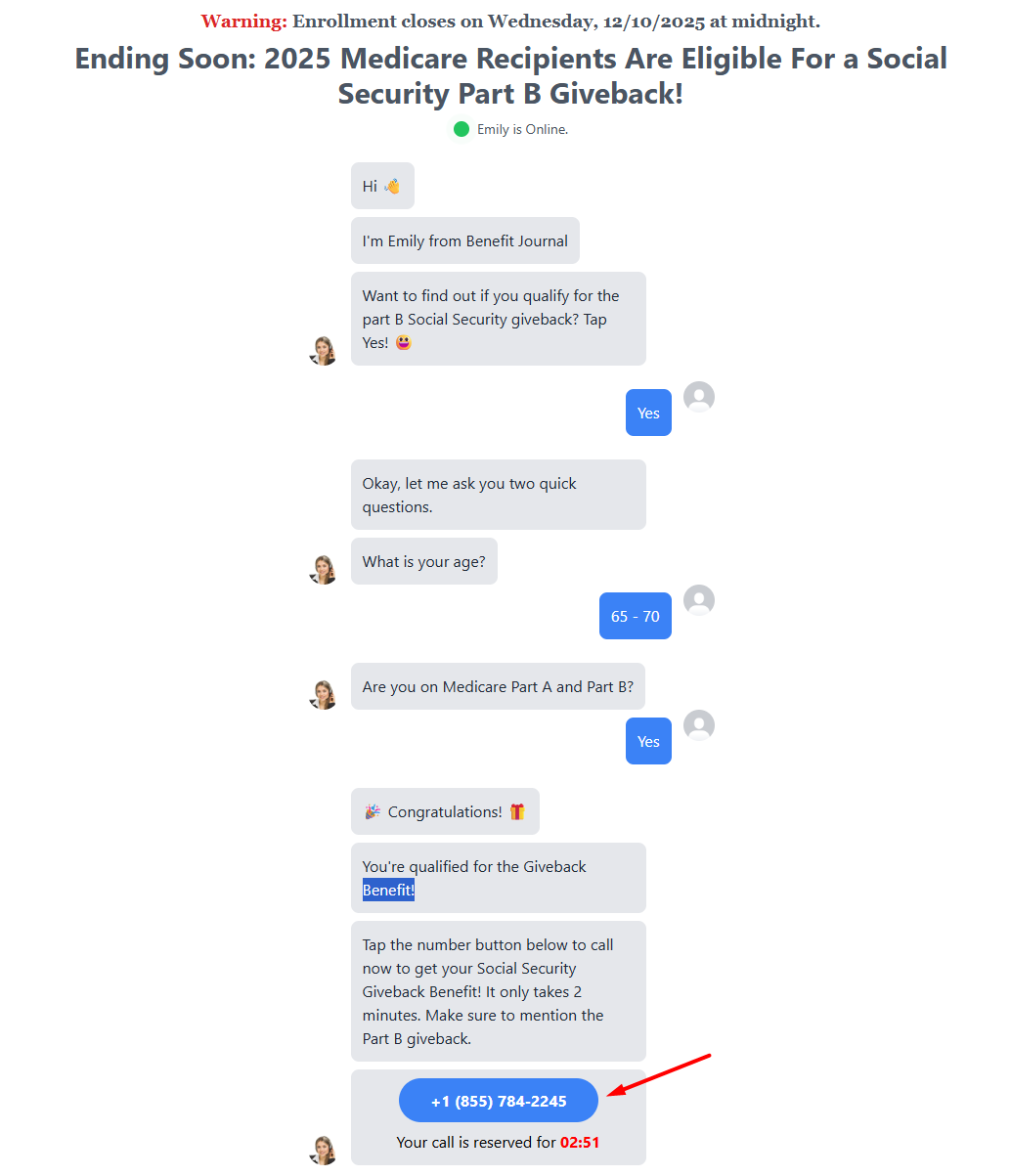
That’s exclusive Pay Per Call behaviour.
Debt relief is similar. You’ll find “breaking news” style creatives and simple funnels designed to get users on the phone as quickly as possible.

Chatbot Style Funnels: A Common Pattern
One pattern you’ll see again and again is the fake chat / chatbot landing page:
- Step-by-step questions (“Are you over X?”, “What’s your zip code?”, etc.)
- A conversational layout that feels interactive
- A final screen that says something like “Tap to call” with a big phone number
From a user’s perspective, it feels personalised. From the advertiser’s perspective, it qualifies leads before they hit the call center.
With AdPlexity Social, you can:
- See the entire flow,
- Screenshot or download the landing pages, and
- Reverse engineer the structure and logic.
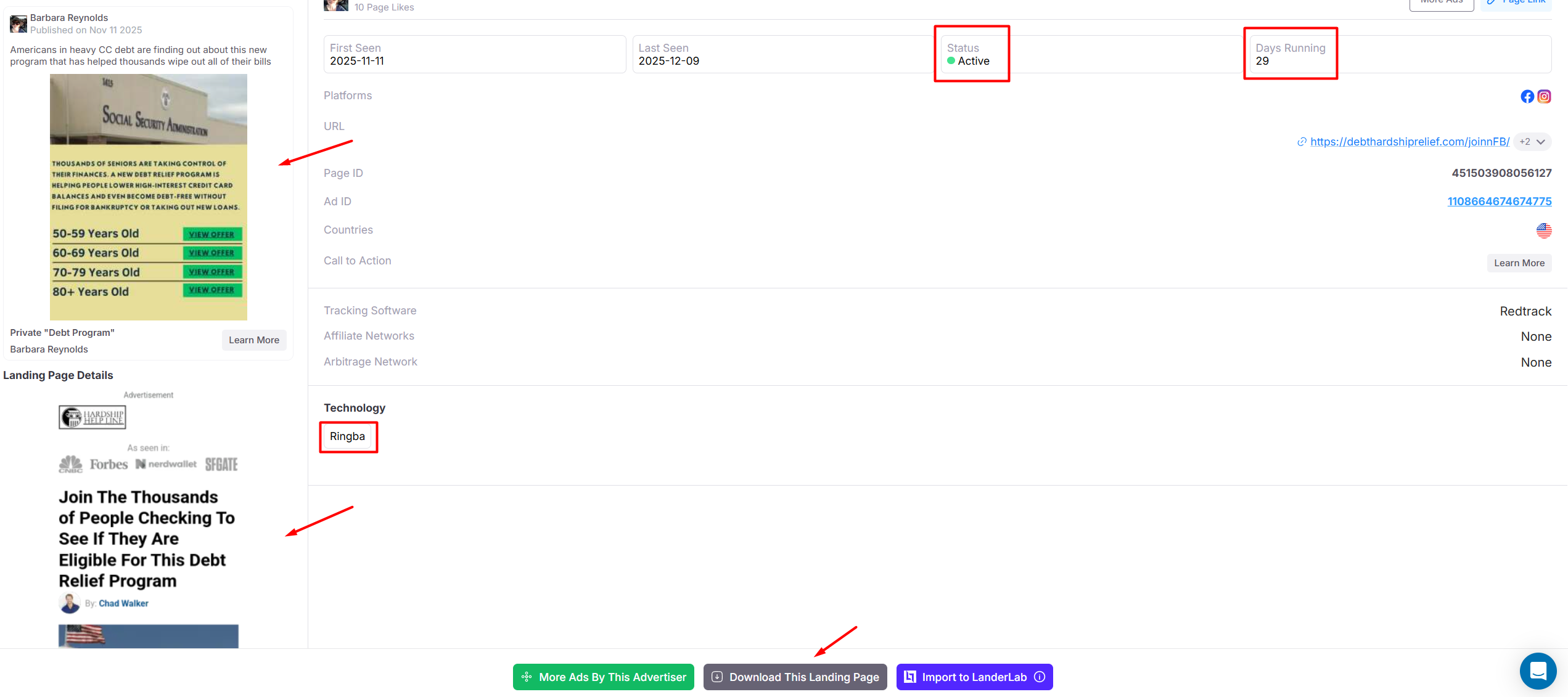
You don’t copy the page. You replicate the strategy.
Important Nuance: Office Hours
One thing that makes Pay Per Call trickier to track than Lead Gen: time windows.
A lot of Pay Per Call campaigns only run when someone is available to answer the phone, typically during office hours in the United States.
That means:
- Some campaigns show up with fewer total days running,
- Many only run at certain hours,
- And the data is less linear compared to 24/7 Lead Gen campaigns.
When you understand that nuance, it becomes easier to interpret what you see on the platform.
Switch From Ads To Domains To Find Leaders
Ad level research tells you what’s running. Domain-level research tells you who’s winning.
Once you have a good feel for the verticals, switch to Domain Search and:
- Apply your Pay Per Call and technology filters.
- Sort by Top Domains by Active Ad Count.
Exclude known Lead Gen heavy domains using our Technology Exclude under advanced filters.
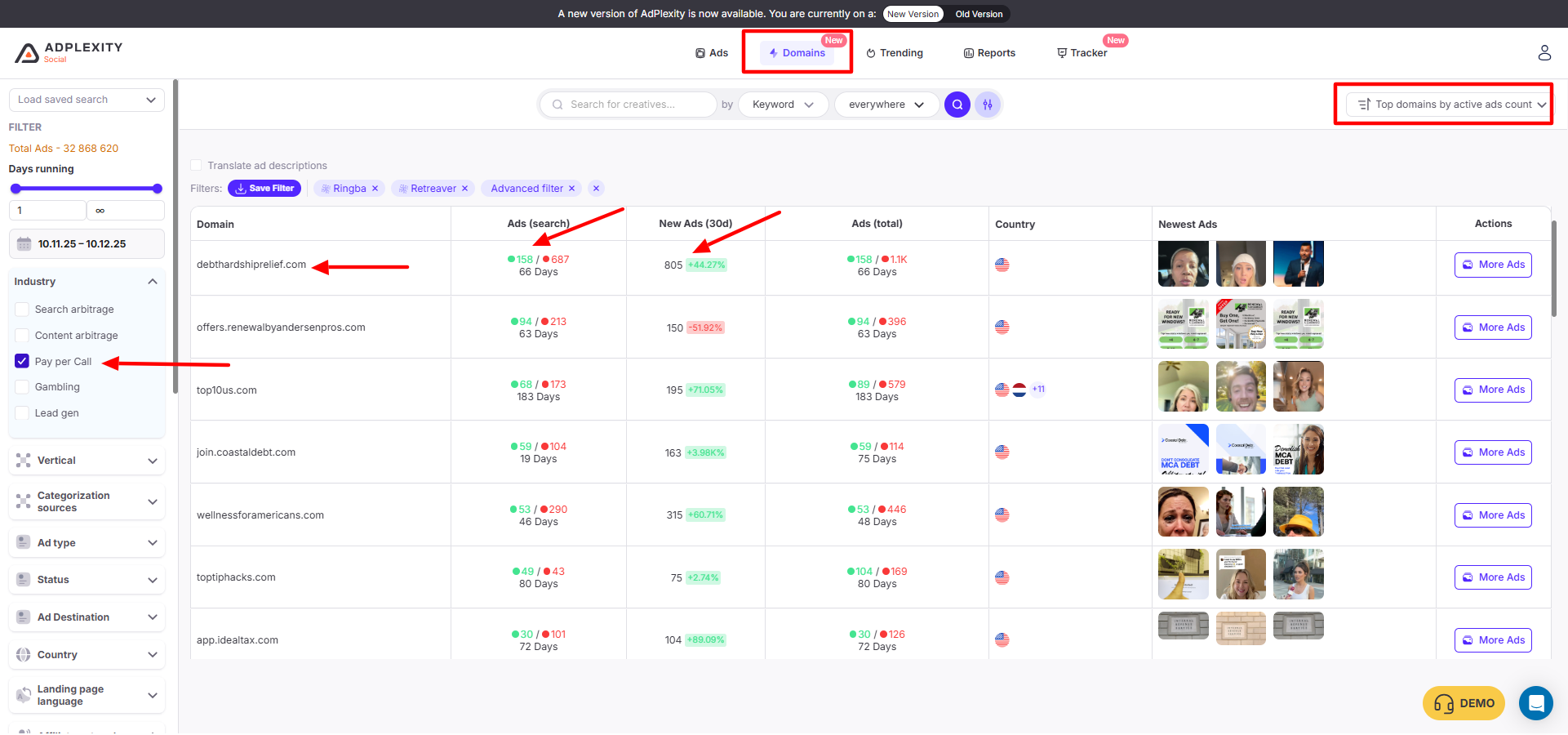
Very quickly, you’ll see domains that:
- Consistently lead in Medicare benefits,
- Dominate debt relief,
- Specialize in car insurance calls, etc.
From there, you can:
- Open the domain’s ads,
- Group ads by creative,
- See which angles are being scaled hardest, and
- Study their funnel structure across multiple campaigns.
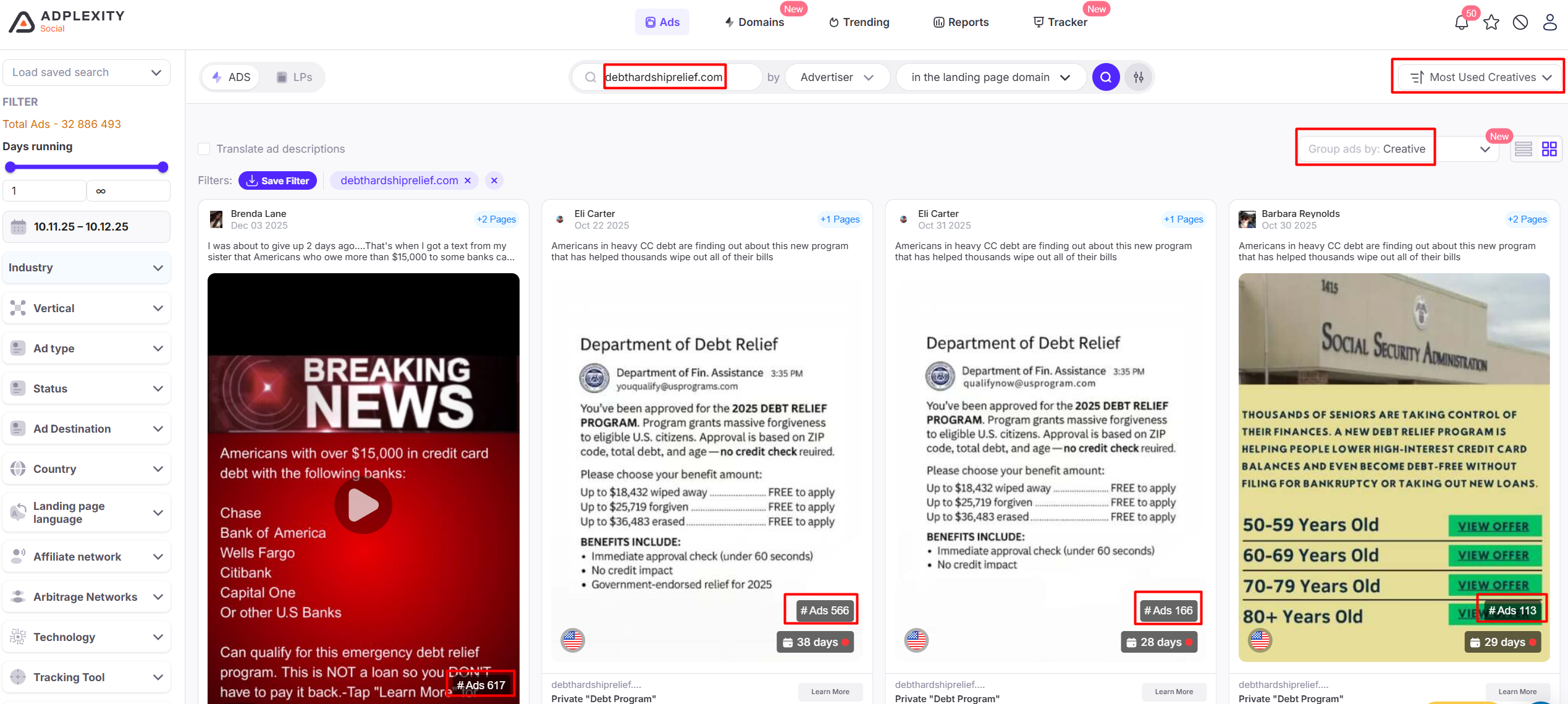
If you see the same creative repeated hundreds of times with small variations, that’s not an accident. That’s scale.
Turn Their Data Into Your Strategy
The goal of all of this is simple:
Stop guessing. Start learning from what’s actually working.
With AdPlexity Social, you can:
- See the real Pay Per Call funnels that top advertisers are running,
- Understand which verticals are worth your time,
- Find the domains that are consistently active, and
- Borrow the angles, hooks, and structures that clearly drive calls.
You don’t need to reinvent everything from scratch. You just need to stand on top of the data.